New: Your AI's private sandbox

Free Browser Sandbox MCP for AI Agents

Export Node.js and Puppeteer scripts as MCP tools with full isolation, privacy, and lower token usage.
SandboxSandbox
API
MCP
http://localhost:3000

Connect to run scripts, Learn more

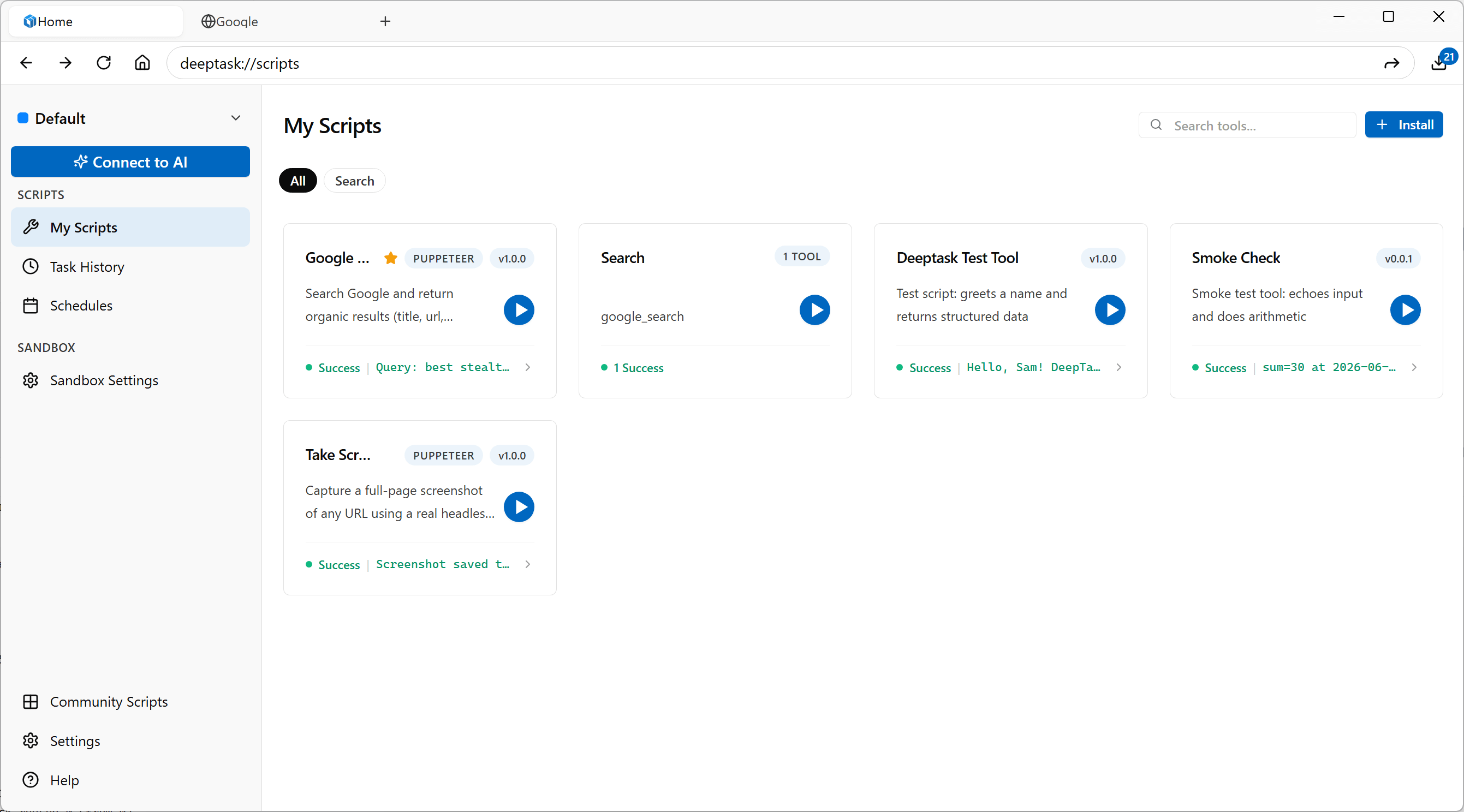
Scripts

Manage and run your node and puppeteer scripts.

Search scripts...
Install
Total 3 scripts
Created

multiply-two-digits

Multiplies two numbers together and returns the product

Node1.0.0
Uninstall
Success
{ "output": { "calculation": "10 × 11 = 11...
View Result

sum-two-digits

Adds two numbers together and returns the sum

Node1.0.0
Uninstall
Success
{ "output": { "calculation": "10 + 11 = 21...
View Result

google-search

Search Google and extract AI answers, PAA questions, and related searches

Puppeteer1.0.0
Uninstall
Success
{ "aiAnswer": null, "results": [ { "title": "Ch...
View Result

Scale Your AI with Local Scripts

DeepTask Sandbox helps you manage scripts and effortlessly export them as native MCP Tools for any AI agent.
1
Install a script
Choose from our library of verified scripts or create your own custom Node.js/Puppeteer automation.
2
Add DeepTask Sandbox MCP
Connect the sandbox to Claude Desktop or any other MCP-compatible agent.
3
Call the tool of the script
Your AI agent can now discover and execute your scripts as native tools to interact with the real world.
Claude Logo
QA testing
API testing
Browser Automation
...
Tool N
Sandbox Logo
QA testing
API testing
Browser Automation
...
Script N

Create a script

Effortlessly build and scale robust Node.js and Puppeteer automations.
google-search.mjs
Puppeteer
/**
 * Google Search Script
 * This script performs a Google search and extracts results including AI answers,
 * organic results, related questions, and related searches
 */

// Export metadata about the script
export const metadata = {
    name: "google-search",
    version: "1.0.0",
    description:
        "Search Google and extract AI answers, organic results, PAA questions, and related searches",
    inputSchema: {
        type: "object",
        properties: {
            query: {
                type: "string",
                description: "The search query/keyword",
                default: "chatgpt"
            },
            language: {
                type: "string",
                description: "Language code for search results (e.g., en, ja, zh-CN)",
                default: "en"
            },
            page: {
                type: "number",
                description: "Page index (0 for first page, 1 for second, etc.)",
                default: 0,
                minimum: 0
            }
        },
        required: ["query"]
    },
    type: "puppeteer",
    defaultTimeout: 30000,
    fsEnabled: false,
    networkEnabled: true,
    domainsAllowed: ["google.com"],
};

// Export the main run method
// The page object is automatically provided in the context
export const main = async function (input) {
    try {
        // Note: "page" here refers to the Puppeteer browser page object
        const page = global.page;

        if (!page) {
            throw new Error("Page object is not available");
        }

        const keyword = input?.query || "chatgpt";
        const language = input?.language || "en";
        const pageIndex = (input?.page !== undefined && input?.page !== null) ? input.page : 0;

        const start = pageIndex * 10;
        const url = `https://www.google.com/search?q=${encodeURIComponent(keyword)}&hl=${language}&start=${start}`;

        await page.goto(url, {waitUntil: "networkidle2"});
        await page.waitForSelector("div#search");

        const data = await page.evaluate(() => {
            const result = {
                aiAnswer: null,
                results: [],
                questions: [],
                relatedSearches: []
            };

            const answer = document.querySelector(
                "#search div[data-attrid]:not([data-attrid=\"title\"]):not([data-attrid=\"subtitle\"])"
            );
            if (answer) {
                result.aiAnswer = answer.innerText.trim();
            }

            const anchors = document.querySelectorAll("#search a h3");
            anchors.forEach((h3) => {
                const a = h3.closest("a");
                if (a && a.href && h3.innerText.trim()) {
                    const snippetNode = a.parentElement?.parentElement?.querySelector(
                        "div[data-sncf] span, div:not([class]) span"
                    );
                    const snippet = snippetNode ? snippetNode.innerText.trim() : "";

                    result.results.push({
                        title: h3.innerText.trim(),
                        link: a.href,
                        snippet
                    });
                }
            });

            return result;
        });

        return {
            result: {
                content: [{
                    type: "text",
                    text: JSON.stringify(data, null, 2),
                }]
            }
        };
    } catch (error) {
        return {
            error: {
                message: error.message || "Unknown error occurred",
            }
        };
    }
};

Frequently Asked Questions

Everything you need to know about the secure AI sandbox.
Is DeepTask Sandbox free to use?
Yes, DeepTask Sandbox is free to download and use on your local machine. There are no subscriptions or hidden costs for running the sandbox on your desktop.
Why should I run a local sandbox for my AI?
A local sandbox provides maximum privacy as your data never leaves your desktop. It also saves tokens by allowing you to process large amounts of data locally using scripts rather than sending everything to an LLM.
Does it require an internet connection?
No. DeepTask Sandbox works completely offline. Your scripts execute locally on your machine. Internet access is only required if your specific script needs to fetch data from the web.
Which scripting languages are supported?
Currently, we focus on Node.js and Puppeteer for web automation. This allows you to leverage the vast JavaScript ecosystem for any task.
How does the security model work?
Every script runs in a secure, isolated environment. You must explicitly grant permissions for network access (with host whitelisting) and filesystem access. This ensures your scripts only do what you want them to do.
Is my data safe?
Yes. All script execution happens locally on your machine. Your data never leaves your environment unless you write a script that explicitly sends it elsewhere.
Can I use Puppeteer for web scraping?
Yes. Puppeteer is pre-configured for seamless web interaction, automated screenshots, and secure data extraction.
Which operating systems are supported?
DeepTask Sandbox is available for Windows, macOS, and Linux. You can find the latest releases on our GitHub page.